

PixVerse V6: Generate Cinematic AI Videos from Text or Images
Create professional video content with synchronized audio, precise camera controls, and smooth storytelling in a single unified workflow.
The PixVerse AI video generator empowers creators to turn text prompts into cinematic videos and turn still images into dynamic videos seamlessly. Generate Cinematic AI Videos up to 1080p from Text or Images without complex production pipelines. Create Native Audio, Sound Effects, Music, and Dialogue in One Pass while retaining full creative control. Whether you need a PixVerse V6 text to video sequence or a PixVerse V6 image to video transformation, you can achieve professional results. Experience the PixVerse V6 online platform to extend existing AI videos naturally and create multi-shot stories from one prompt.

How to Use the PixVerse AI video generator
Our PixVerse V6 video generator provides a clear, straightforward workflow. Whether you use the PixVerse V6 text to video generator or the PixVerse V6 image to video generator, the process requires just three simple steps to produce a final, high-quality result.

Enter a prompt or upload an image
Start by typing a detailed description of your scene to use the PixVerse V6 text to video function. Describe the characters, environment, lighting, and action clearly. Alternatively, if you are using the PixVerse V6 image to video capability, upload a static image that you want to animate. The PixVerse AI video generator analyzes your input to prepare the visual generation.

Choose video settings
Select your desired resolution, aspect ratio (such as 16:9 for desktop or 9:16 for mobile), and generation duration. In this step, you can also enable PixVerse V6 native audio generation to create synchronized sound, or apply PixVerse V6 cinematic camera controls to direct the motion. The PixVerse V6 AI video model adjusts to these parameters before processing.

Generate and download
Click the generate button to process your request. The PixVerse AI video generator will render the sequence based on your text or image input. Once processing is complete, preview the result, check the PixVerse V6 text to video or PixVerse V6 image to video output, and download the final file to your device for immediate sharing or publishing.
Core Capabilities of PixVerse V6
Discover exactly what the PixVerse AI video generator can create. From comprehensive PixVerse V6 text to video generation to precise PixVerse V6 image to video animation, these features solve real video production challenges across a variety of professional use cases.

Text-to-Video Generation with Cinematic Quality
The PixVerse V6 text to video capability translates written descriptions into highly detailed moving scenes. This is perfectly suited for social media creators and digital marketers who need to quickly A/B test ad creatives, produce 9:16 reels, or generate visually engaging content without coordinating physical shoots.

Image-to-Video Animation and Transitions
Utilize the PixVerse V6 image to video feature to bring static photography and illustrations to life with natural movement. This feature is ideal for graphic designers, small business owners, and e-commerce teams looking to repurpose static product shots or illustrations into dynamic, eye-catching promotional clips.
Native Audio and Cinematic Camera Controls
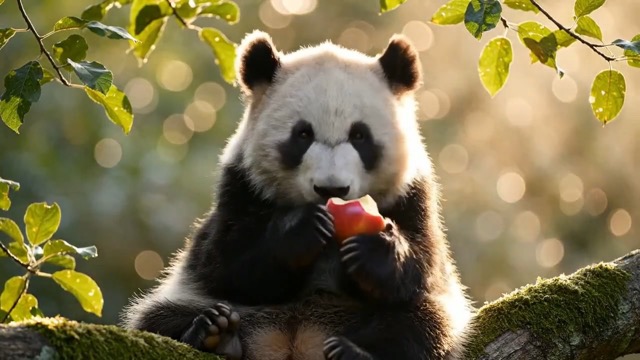
The PixVerse AI video generator integrates sound and motion control natively. By generating synchronized audio and executing specific camera moves without external software, this feature becomes a critical tool for narrative filmmakers, commercial directors, and animators building detailed storyboards or generating production-ready cinematic B-roll.
Multi-Shot Storytelling and Video Extension
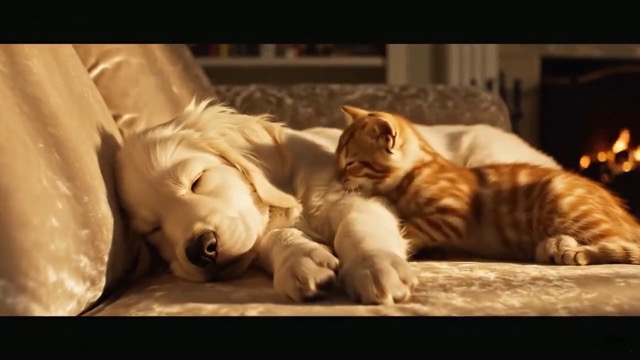
Build cohesive narratives easily with continuous scene creation. Serving as a robust multi-shot video generator, this capability is essential for video editors and storytellers who need to seamlessly extend existing footage that ended too soon or construct full, multi-scene narrative sequences with consistent characters.
Why Choose the PixVerse AI Video Generator
By utilizing PixVerse V6, different professionals can skip complicated setups and get straight to creating high-quality outputs efficiently.
Streamlined Content Creation
For digital creators, PixVerse V6 eliminates the need for complex physical shoots. Quickly input concepts and instantly download ready-to-post, visually engaging vertical or horizontal clips for social media.
Efficient Commercial Production
Marketers use PixVerse V6 to rapidly iterate on ad campaigns. Easily generate dynamic product demonstrations or A/B test various visual narratives in pristine 1080p resolution.

Narrative Filmmaking Support
Directors and scriptwriters leverage PixVerse V6 to build accurate storyboards and generate cinematic B-roll, relying on precise camera controls to visualize cohesive narrative sequences.

Visual Design and Animation
Designers turn to PixVerse V6 to breathe life into flat illustrations, easily producing dynamic backgrounds and animated portfolio pieces without needing complicated 3D software.
How Professionals Use PixVerse V6
Read how real users integrate the PixVerse AI video generator into their daily production workflows, utilizing both PixVerse V6 text to video and PixVerse V6 image to video tools.
The PixVerse AI video generator completely changed my daily workflow. I use the PixVerse V6 image to video feature to turn my static product photography into engaging promotional clips. Adding motion to still images used to take me hours, but now I get it done quickly.
The PixVerse AI video generator completely changed my daily workflow. I use the PixVerse V6 image to video feature to turn my static product photography into engaging promotional clips. Adding motion to still images used to take me hours, but now I get it done quickly.
Creating cinematic AI videos with PixVerse V6 is incredibly straightforward. The PixVerse V6 text to video function allows me to type in specific script directions, and the integrated audio feature generates the exact ambient street noise I need for my scenes simultaneously.
Creating cinematic AI videos with PixVerse V6 is incredibly straightforward. The PixVerse V6 text to video function allows me to type in specific script directions, and the integrated audio feature generates the exact ambient street noise I need for my scenes simultaneously.
I rely on the PixVerse AI video generator for my weekly content calendar. Using PixVerse V6 text to video, I generate b-roll footage in 9:16 format. The fact that it natively outputs 1080p means I don't have to upcompress the files before uploading them to social channels.
I rely on the PixVerse AI video generator for my weekly content calendar. Using PixVerse V6 text to video, I generate b-roll footage in 9:16 format. The fact that it natively outputs 1080p means I don't have to upcompress the files before uploading them to social channels.
The transition capabilities in this PixVerse V6 video generator are exactly what I needed. I take two different concept sketches, put them into the PixVerse V6 image to video tool, and it creates a smooth visual morph between them that I present to my clients.
The transition capabilities in this PixVerse V6 video generator are exactly what I needed. I take two different concept sketches, put them into the PixVerse V6 image to video tool, and it creates a smooth visual morph between them that I present to my clients.
As a marketer, speed is essential. We use the PixVerse AI video generator to A/B test ad creatives. The PixVerse V6 text to video generation lets us test different visual hooks in minutes, and the camera controls ensure the product is always the focal point.
As a marketer, speed is essential. We use the PixVerse AI video generator to A/B test ad creatives. The PixVerse V6 text to video generation lets us test different visual hooks in minutes, and the camera controls ensure the product is always the focal point.
Sometimes my footage comes up short. I use the PixVerse V6 extend video feature to seamlessly add three more seconds to a clip. Combining my own footage with the PixVerse V6 image to video workflow has significantly reduced my manual editing time.
Sometimes my footage comes up short. I use the PixVerse V6 extend video feature to seamlessly add three more seconds to a clip. Combining my own footage with the PixVerse V6 image to video workflow has significantly reduced my manual editing time.






Frequently Asked Questions about PixVerse V6
Find direct answers about how the PixVerse AI video generator works, including details on PixVerse V6 text to video, PixVerse V6 image to video, and platform capabilities.
PixVerse V6 is an AI video generation model designed to create high-quality motion content. The PixVerse AI video generator allows users to generate Cinematic AI Videos up to 1080p from Text or Images. It outputs short video clips with options for synchronized audio and precise camera movements.
Yes. The platform includes both a PixVerse V6 text to video generator and a PixVerse V6 image to video generator. You can type a descriptive prompt to generate scenes from scratch, or upload a static picture to animate it into a dynamic video clip.
Yes. You can Create Native Audio, Sound Effects, Music, and Dialogue in One Pass using the PixVerse AI video generator. The PixVerse V6 native audio generation system analyzes your visual prompt and produces matching sound simultaneously, eliminating the need to source external audio.
You can Control 20+ Cinematic Camera and Lens Effects from a Single Prompt. The PixVerse AI video generator supports specific commands like panning, zooming, tracking, and adjusting depth of field. This applies whether you are using the PixVerse V6 text to video or PixVerse V6 image to video functions.
Yes. The PixVerse V6 extend video feature allows you to lengthen a generated clip naturally. The PixVerse AI video generator analyzes the final frames of your clip and continues the motion, preserving the visual consistency and character details.
Yes. The PixVerse AI video generator includes a transition function. By inputting a starting visual and an ending visual into the PixVerse V6 image to video tool, the model will calculate and create smooth transitions between two images naturally.
The PixVerse AI video generator supports PixVerse V6 1080p video generation alongside 720p, 540p, and 360p options. Both PixVerse V6 text to video and PixVerse V6 image to video modes support common aspect ratios like 16:9, 9:16, 1:1, 4:3, and 3:4 for diverse platforms.
Yes. You can Build Multi-Shot Stories, Smooth Transitions, and Coherent Video Extensions. The PixVerse AI video generator is designed as a PixVerse V6 multi-shot video generator, helping maintain visual continuity across different scenes when using PixVerse V6 text to video workflows.
Yes. Creators actively use PixVerse V6 for social media content, PixVerse V6 for marketing and advertising videos, and PixVerse V6 for short films and storytelling. The fast output of the PixVerse AI video generator fits well into professional content schedules.
Usage rights depend on your subscription tier and the platform's current terms of service. While many use the PixVerse AI video generator for commercial work, you should review the official licensing rules regarding PixVerse V6 text to video and PixVerse V6 image to video outputs before broadcasting.
Start Creating with the PixVerse AI video generator
Ready to turn your text prompts into cinematic videos or animate still images? Experience the PixVerse V6 online platform today. Simply enter your prompt or upload an image, choose your settings, and click generate to download your file. Use the PixVerse V6 text to video or PixVerse V6 image to video tools to speed up your production.
